The security scan that runs after every change
Atmos finds vulnerabilities before they reach CI, fast enough to run on every save.
Start in seconds
Atmos installs with one command on macOS, Linux and Windows. The scan runs the full managed ruleset with nothing to set up.
Sign in with GitHub
The installer opens a link in your browser. Sign in, approve, and your terminal is signed in.
Run the first scan
atmos scan . checks code and dependencies in one run. Findings show in your terminal and on the platform.
Scan in under a second
Atmos rescans only what changed and usually returns the findings in under a second. A rescan of a repository with 2 million lines of code finishes in less than 3 seconds.
For coding agents
Coding agents write more code than most teams can read. Atmos rescans after every agent turn and hands the findings back to the agent that fixes what it just wrote before moving on.
For human developers
A finding in a CI report comes after the code has left the editor. Atmos scans on every save in VS Code and Cursor and underlines each finding in the editor.
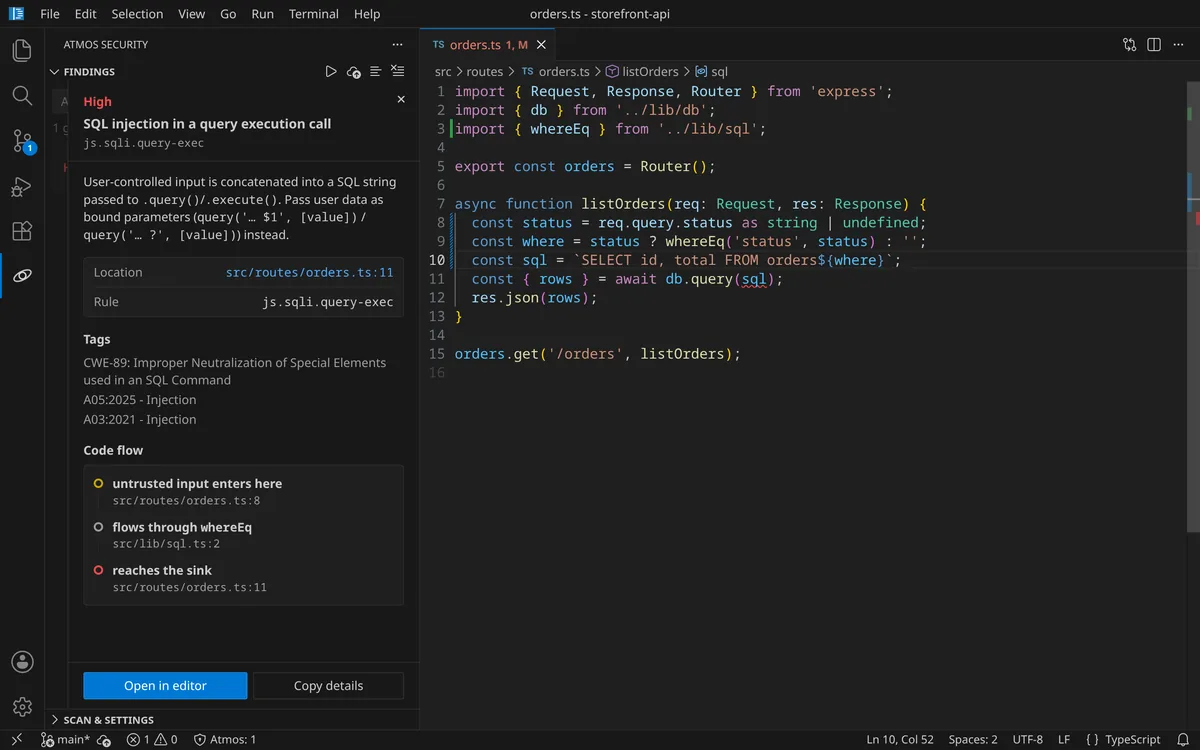
Input traced across files
Untrusted input enters in one file and the dangerous call may sit in another file. Atmos follows the input across every file and reports each step with file and line, in JavaScript, TypeScript, Java and C#.
Only reachable vulnerabilities
Most known vulnerabilities in your dependencies sit in functions your code never calls. Atmos reads your npm, Maven and NuGet lockfiles with your source and checks whether your code can reach each vulnerable function.
SCA docs →Atmosphere Platform
Findings from every developer machine and every CI run land in one place. Your team triages them there and sees what each pull request changed.
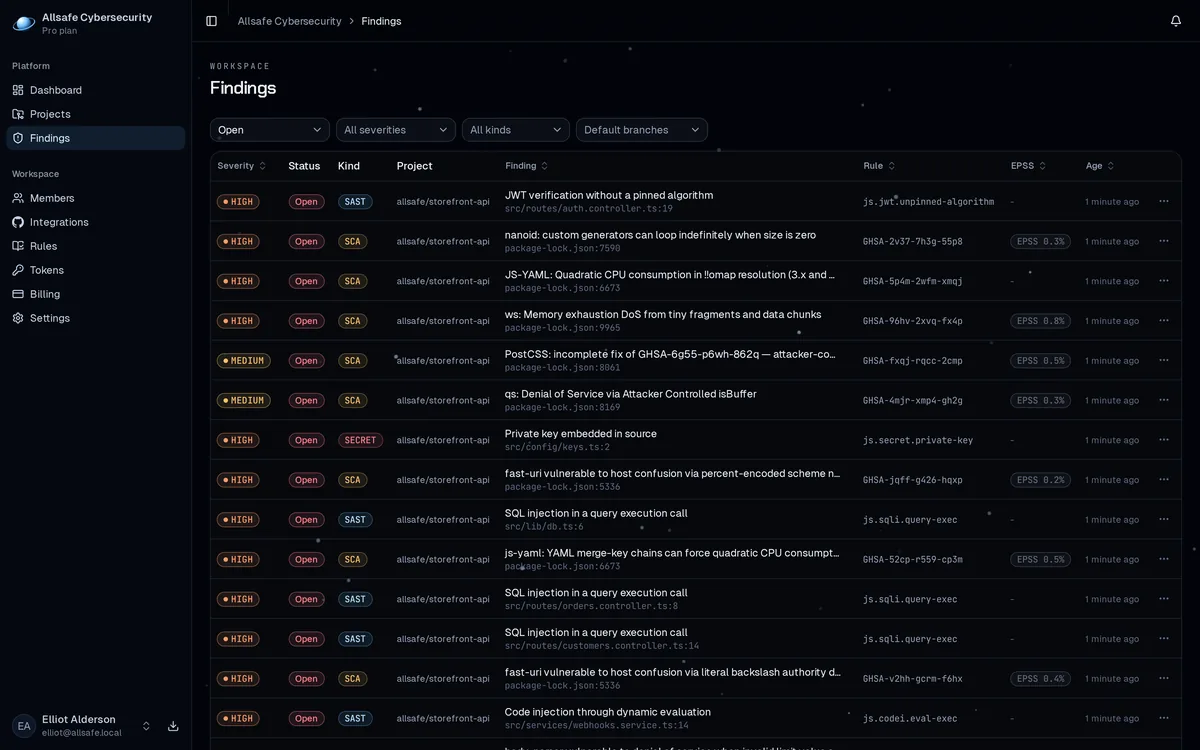
Your data
Atmos is rule based, with no AI model anywhere in the scan, so the same code gives the same result, every scan. Atmos never sends your code or the findings to an AI company.
Privacy Policy →