Core concepts
How Atmos works
What a scan looks at, what a finding contains and how rescans stay fast. Commands and flags are in the CLI reference.
What happens when you scan#
atmos scan . checks three things and closes with one report:
- Your code. Atmos analyzes the project as a whole, understands how your files call each other and follows untrusted input across them, from where it enters your application to where it can do damage.
- Your dependencies. Atmos reads your lockfiles, matches every installed version against the advisory database and checks whether your code can reach each vulnerable package. See SCA and reachability.
- Your rules. The Managed Ruleset and the rules your team keeps in
.atmos/rules/. See custom rules.
A first scan of a big repository with 2 million lines of code takes less than a minute. Which files a scan picks up is in language support.
Every finding carries its evidence#
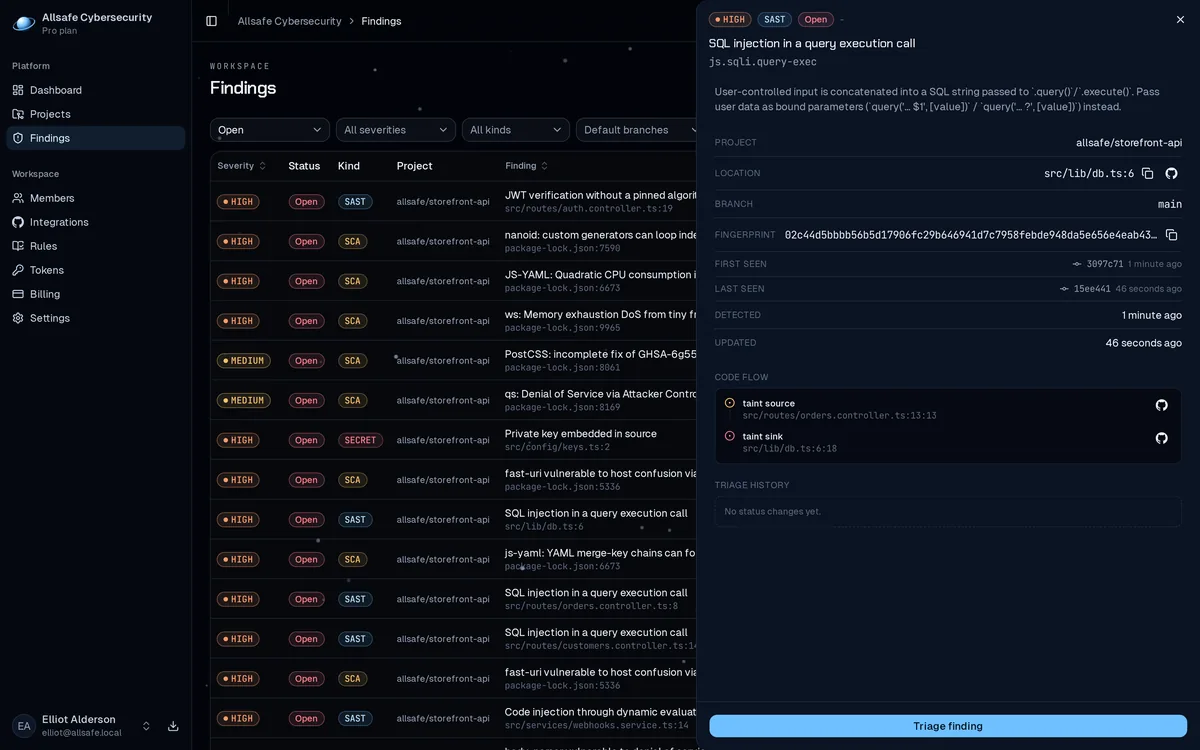
Atmos reports a finding only with its evidence attached. A code finding traces the whole path: where untrusted input enters, each step it takes across files, and the dangerous call it reaches. A dependency finding shows the lockfile entry, the chain of parents that pulled it in, the matched advisory and how far up the reachability ladder the evidence goes.
The trace tells you where to fix the problem, and a finding without evidence is not in the report at all.
Scan the whole project#
Because the analysis works across files, the scan target matters. Point Atmos at your repository root and Atmos connects an HTTP handler in one file to a database call in another. Scanning a single file works, but findings that span files only appear when the files are scanned together. The same applies in CI: point the scan at the whole tree.
Warm scans#
The first scan of a tree is a cold scan. With --incremental, Atmos keeps a cache for the repository in your user cache folder and every scan after that is warm and rechecks only what changed. If nothing changed, the previous result replays in well under a second. After an edit, a warm scan usually finishes in under a second, and less than 3 seconds on a big repository with 2 million lines of code.
A warm scan prints exactly what a cold scan would, and the cache rebuilds when your rules or the CLI version change. The editor extension rescans on every save on the warm path.
Where results go#
The report goes to stdout as human, json or sarif, progress and warnings go to stderr, and the exit code tells CI what happened. The formats and the exit code table are in the CLI reference.
Unless you pass --no-upload, the scan uploads its findings to the platform before the human report prints. The platform shows them on the Findings page and in pull request feedback. What the upload carries is in what leaves your machine.
When findings close#
You fix a vulnerability and push. The next scan of that branch no longer reports the finding, and Atmos marks it Fixed on the Findings page. When the finding comes back, the next scan that reports it reopens the finding. A scan closes only the findings it could have seen:
- A scan of a folder or a file closes findings inside it only, and one that found nothing to analyze uploads nothing.
atmos sastnever closes dependency findings, andatmos scanever closes code findings.- A scan of the whole repository that finds no source files closes the open code findings, and one that finds no lockfiles closes the open dependency findings, so deleting the last lockfile clears the dependency findings.
- Findings in a file the scan could not read stay open, and the scan prints an
atmos: skipline for that file.
After a scan you narrow with a flag or an ignore file, Atmos marks more findings Fixed, as keep the Findings page complete describes.